Best-Selling Hosting
- Colocation Hosting
- Shared Hosting
- VPS Hosting
- Reseller Hosting
- Windows Hosting
- PHP Hosting
- Multiple Domain Hosting
- ASP Hosting
- Best Web Hosting Companies
- Dedicated Servers
- Java Hosting
- Managed Servers
- Coldfusion Hosting
- Linux Hosting
- Database Hosting
- > All Hosting Services
Top Rated Providers
Editors Pick
Run Your Own Web Server Using Linux & Apache Review
Published: Apr 18, 2006
-
Rating
5/5
Rating
5/5Sitepoint book reivew on Run Your Own Web Server Using Linux & Apache. This book is aimed for the newbie Linux user market who want to get their own web server online, we give you our thoughts on it!
Run Your Own Web Server Using Linux & Apache Review
Website: http://www.sitepoint.com/books/linux1/
Pages: 329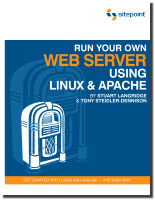
I was very excited to review my first book from SitePoint.com so I thought what better subject than running your own web server using Linux and Apache? So many people today want to have their own web server, be it an older P3 500 or a collocated server, it’s always nice to have your own private system you can do whatever you want to.
The thing is Linux is becoming easier and easier to use today compared to the 90’s. It better recognizes hardware and is easier to install. This book focuses on Fedora 4 and Apache 2. If you’re a complete newbie to Linux this has some great steps to walk you through the installation and basic usage. For more advanced users, you’ll find this book a bit weak on technical details.
The book first goes through installing Linux, step by step. I mean for an entire chapter its just the installation. This is a great walkthrough to new users but a waste of pages for anyone who has installed Linux before. I don’t find this any harder to install than Windows these days with all the new easy to use graphical or text installers.
Moving on they go into the basic usage, commands and getting around. What permissions are, how to copy things, editing files with Kate (like notepad). Then the command line commands (similar to DOS) how to copy, and some very basic bash scripting. They jump into crons a so you can help automate tasks on your system, like backups.
I was very disappointed that they skipped compiling Apache, PHP or MySQL from source. For everything they just decided to use YUM only and RPMs. This is fine for a very basic configuration but doesn’t allow you to add other modules or anything useful. Everything is through the graphical package manager. Secondly this is a book about Apache right? Then why do they skip the entire tuning/optimizing Apache section to 1 page, and a minimal page at that with no real explanation of values in httpd.conf just sample settings.
Overall this book is fine if you want to setup a play or testing server for fun in your home but I highly suggest getting detailed information from other sources. Minimal detail on tuning, no source compiling options, no Apache 1x mentioned. The only security options mentioned were in regards to iptables, snort and tripwire? What about locking down PHP, MySQL and Apache addon tools such as mod_security?
The book claims to teach you everything you need to know about making your server “stable, secure and lightning-fastâ€. I was absolutely blown away that the only PHP and MySQL sections in this book were 1 page which mentioned another SitePoint book for additional configuration information. No mention of even where the configuration files were for these let alone what are some values you should be using to “secure†your system like safe_mode or other settings.
I really have to give this book a thumbs down. I found it very lacking in content other than the Linux installation sections. There’s very minimal security information, and hardly and configuration advice. I hope SitePoint offers something with a little more punch next time instead of referring to their other products.
Related Articles
Comments (0)
No one has commented on this page yet.
Add Your Thoughts
WebHostGear.com is a hosting directory, not a web host.
Copyright © 1998-2024 WebHostGear.com